Smart Home Maintenance: Your Quarterly Checklist for Peak Performance

In the rapidly evolving landscape of modern living, the smart home has transitioned from a futuristic concept to an everyday reality. From smart thermostats that learn your preferences to security cameras that offer peace of mind, connected devices are designed to simplify and enhance our lives. However, like any sophisticated system, a smart home requires regular attention to ensure it operates at its peak. Neglecting your smart home devices can lead to sluggish performance, security vulnerabilities, and frustrating malfunctions. This comprehensive guide provides a quarterly checklist for effective smart home maintenance, ensuring your connected ecosystem remains efficient, secure, and fully functional.
The Importance of Proactive Smart Home Maintenance
Many users adopt smart home technology with the ‘set it and forget it’ mentality. While these devices are designed for convenience, they are still complex pieces of technology that benefit immensely from proactive care. Regular smart home maintenance isn’t just about fixing problems when they arise; it’s about preventing them, optimizing performance, and extending the lifespan of your valuable investments. A well-maintained smart home ensures seamless automation, robust security, and a consistently reliable user experience. Think of it like maintaining your car or your garden – consistent effort yields the best results.
Consider the interconnected nature of your smart home. A single underperforming device, an outdated piece of software, or a compromised network setting can have a ripple effect across your entire ecosystem. For instance, a slow Wi-Fi router can cripple your smart speakers, cameras, and lighting systems. An unpatched security vulnerability in a smart lock could expose your home to unauthorized access. By dedicating a small amount of time each quarter to smart home maintenance, you can avoid these pitfalls and enjoy the full benefits of your connected living space.
Quarter 1: The Foundation & Software Audit (January – March)
The beginning of the year is an excellent time to lay a strong foundation for your smart home’s performance for the months ahead. This quarter focuses heavily on software, firmware, and overall system health.
1. Firmware and Software Updates
Why it’s crucial: Manufacturers constantly release updates to improve device performance, add new features, and, most importantly, patch security vulnerabilities. Outdated firmware is a common entry point for cyber threats.
Your Checklist:
- Smart Hub/Gateway: This is the brain of your smart home. Ensure its software is always up-to-date. Check the manufacturer’s app or web interface for the latest version.
- Individual Devices: Go through each smart device (lights, plugs, thermostats, cameras, doorbells, etc.) and check for available updates via their respective apps. Many devices can be set to update automatically, but it’s good practice to verify.
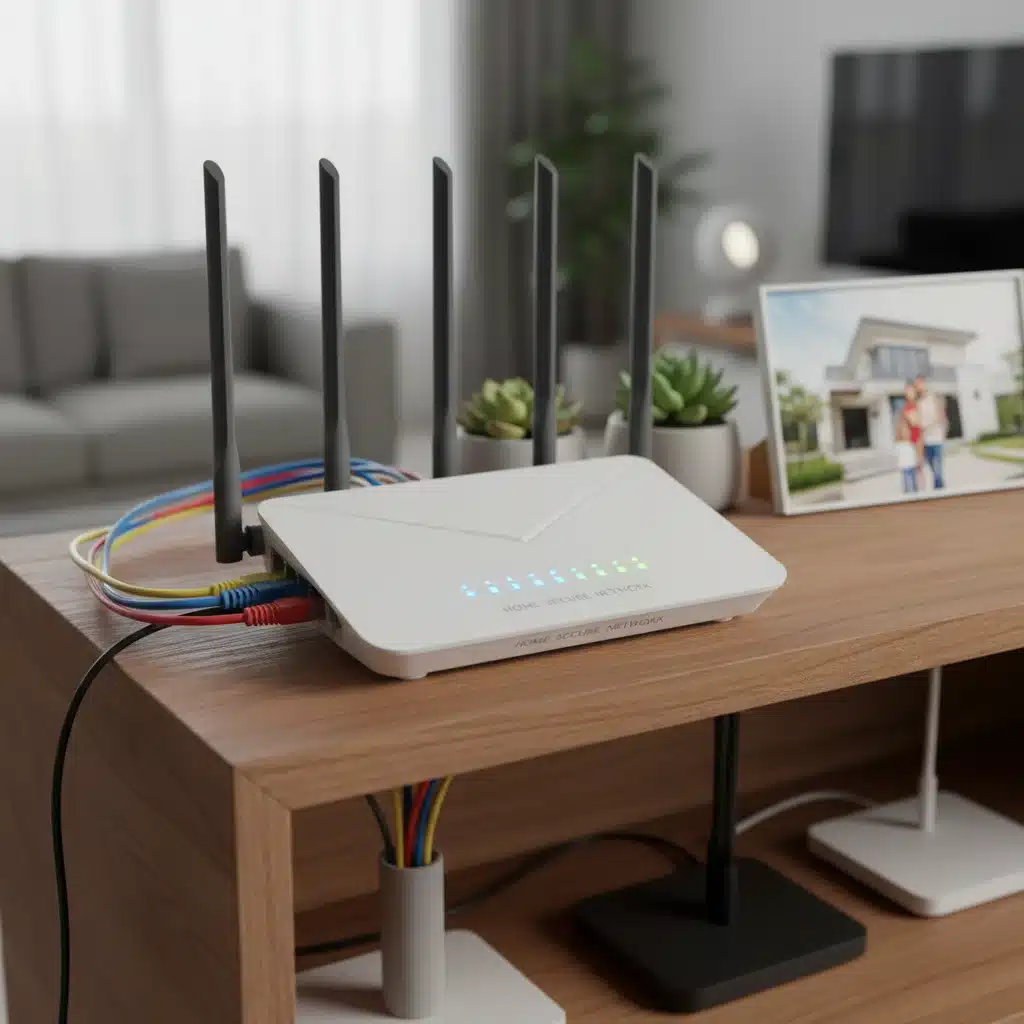
- Router Firmware: Your Wi-Fi router is the backbone of your smart home network. Access its admin panel (usually via a web browser) and check for firmware updates. Router manufacturers frequently release updates that improve security and network stability.
- Voice Assistants: Ensure your smart speakers (Amazon Echo, Google Home, Apple HomePod) are running the latest software. These often update automatically, but a manual check or restart can sometimes trigger pending updates.
2. Network Health Check
Why it’s crucial: A robust and stable network is the oxygen for your smart home. Without it, devices struggle to communicate, leading to delays and disconnections.
Your Checklist:
- Router Reboot: A simple reboot of your Wi-Fi router and modem can often resolve minor connectivity issues and refresh network performance. Do this at least once a quarter.
- Signal Strength Assessment: Use a Wi-Fi analyzer app on your smartphone (e.g., NetSpot, Wi-Fi Analyzer) to check signal strength in areas where smart devices are located. Identify dead zones or areas with weak signals.
- Channel Optimization: If you have multiple Wi-Fi networks in your vicinity, they might be interfering with each other. Access your router’s settings and try switching to a less congested Wi-Fi channel (usually 1, 6, or 11 for 2.4GHz).
- Device Placement: Ensure your router is centrally located and not obstructed by large objects or other electronics that can cause interference.
- Band Steering/Prioritization: If your router supports it, enable band steering to automatically direct devices to the optimal Wi-Fi band (2.4GHz for range, 5GHz for speed). Prioritize critical smart devices if your router offers QoS (Quality of Service) settings.
3. Security Audit & Password Review
Why it’s crucial: Your smart home collects sensitive data and controls access to your physical space. Robust security is non-negotiable.
Your Checklist:
- Strong, Unique Passwords: Ensure every smart device and its associated app uses a strong, unique password. Avoid using default passwords or easily guessable combinations. A password manager can be invaluable here.
- Two-Factor Authentication (2FA): Enable 2FA on every smart home account that supports it. This adds an extra layer of security, requiring a second verification step (e.g., a code from your phone) in addition to your password.
- Review Device Permissions: Regularly check the permissions granted to smart home apps. Are they asking for access to things they don’t need (e.g., location data for a smart light bulb)? Revoke unnecessary permissions.
- Guest Network for Smart Devices (Optional but Recommended): If your router supports it, consider putting some or all of your smart devices on a separate guest network. This isolates them from your main network, limiting potential damage if a device is compromised.
- Check for Data Breaches: Use services like ‘Have I Been Pwned?’ to check if any of your email addresses associated with smart home accounts have been compromised in data breaches. If so, change those passwords immediately.
Quarter 2: Physical Device Care & Connectivity Optimization (April – June)
As spring progresses, it’s a good time to focus on the physical well-being of your devices and optimize their communication.
1. Physical Cleaning & Inspection
Why it’s crucial: Dust, debris, and environmental factors can impair sensors, block vents, and reduce the efficiency of your devices.
Your Checklist:
- Dusting & Wiping: Gently clean all smart devices with a microfiber cloth. Pay special attention to cameras, sensors (motion, light, temperature), and speakers. Use compressed air for hard-to-reach crevices.
- Vents & Openings: Ensure vents on devices like smart hubs, routers, and larger smart appliances are free from dust buildup to prevent overheating.
- Cable Management: Inspect all power and data cables for fraying, kinks, or damage. Replace any damaged cables. Ensure cables are neatly organized to prevent accidental disconnections.
- Battery Check: For battery-powered devices (door/window sensors, some cameras, smart locks), check battery levels in their respective apps. Replace batteries proactively rather than waiting for them to die. Keep spare batteries on hand.
- Outdoor Devices: For smart outdoor cameras, lights, or irrigation systems, clean lenses, check for water ingress, and ensure mounting is secure. Clear any spiderwebs or insect nests.
2. Connectivity Audit & Range Extenders
Why it’s crucial: Even with a good router, some areas of your home might suffer from poor signal. Optimizing connectivity ensures all devices reliably communicate.
Your Checklist:
- Mesh Network Assessment: If you have a mesh Wi-Fi system, ensure all nodes are properly placed and communicating effectively. Check the mesh app for node health and signal strength indicators.
- Range Extender/Repeater Review: If you use range extenders, check their placement and ensure they are effectively boosting signal without creating new bottlenecks. Sometimes, moving an extender a few feet can make a big difference.
- Zigbee/Z-Wave Mesh Health: For devices using Zigbee or Z-Wave protocols, ensure you have enough powered devices (which act as repeaters) to create a robust mesh network throughout your home. Check your smart hub’s interface for a network map or device connectivity status.
- Interference Check: Identify potential sources of interference near sensitive smart devices. This could include microwaves, cordless phones, or even certain baby monitors. Try relocating either the smart device or the interfering appliance.

Quarter 3: Automation Review & Data Management (July – September)
Mid-year is an ideal time to re-evaluate your smart home’s automations and manage the data it collects.
1. Automation & Scene Review
Why it’s crucial: As your needs change or new devices are added, your automations might become redundant, inefficient, or even contradictory. A regular review keeps your smart home truly ‘smart’.
Your Checklist:
- Delete Unused Automations: Go through all your smart home apps (e.g., Alexa, Google Home, SmartThings, HomeKit) and delete any automations, routines, or scenes you no longer use. Clutter can slow down systems and cause confusion.
- Optimize Existing Automations: Are your automations still serving their purpose efficiently? For example, if you’ve changed your work schedule, adjust your ‘away’ or ‘morning’ routines accordingly. Can you combine multiple routines into one for simplicity?
- Test All Automations: Manually trigger each automation to ensure it works as expected. This is especially important for critical routines like security arming/disarming or emergency lighting.
- Review Device Groups: Ensure your device groups (e.g., ‘living room lights’) are accurate and up-to-date. Remove any devices that have been moved or decommissioned.
- Consider New Possibilities: Have you acquired any new devices that could integrate with existing automations? Explore new ways to enhance convenience or energy efficiency.
2. Data Storage & Privacy Settings
Why it’s crucial: Smart devices often collect significant amounts of data, from camera footage to energy consumption. Managing this data is essential for privacy and performance.
Your Checklist:
- Review Cloud Storage: If you have smart cameras or doorbells that store footage in the cloud, check your storage plan. Delete old, unnecessary footage to free up space and potentially reduce subscription costs.
- Privacy Settings Audit: Go into the settings of each smart device and app. Review what data they are collecting and how it’s being used. Adjust privacy settings to your comfort level. For example, some smart speakers allow you to delete voice recordings.
- Location Services: Review which apps have access to your location data. Disable it for apps that don’t genuinely need it for their core function.
- Data Sharing: Understand if your smart device data is being shared with third parties. Most reputable brands offer options to limit this sharing.
Quarter 4: Performance Review & Future Planning (October – December)
As the year draws to a close, it’s time to reflect on your smart home’s performance and plan for future enhancements.
1. Performance Evaluation
Why it’s crucial: A holistic review of your smart home’s performance throughout the year helps identify recurring issues and areas for improvement.
Your Checklist:
- Identify Lagging Devices: Are there any devices that consistently respond slowly or disconnect frequently? This might indicate a failing device, poor network coverage, or a need for a dedicated hub.
- Review Energy Consumption: If you have smart plugs or an energy monitoring system, review your energy usage patterns. Identify devices that might be consuming more power than expected and adjust schedules or consider replacements.
- App Performance: Are your smart home control apps running smoothly? Clear cache and data for sluggish apps, or reinstall them if problems persist.
- Voice Assistant Accuracy: If you rely heavily on voice commands, evaluate the accuracy of your voice assistant. If it’s frequently misunderstanding commands, check microphone cleanliness or device placement.
2. Backup & Recovery Plan
Why it’s crucial: Technology can fail. Having a backup plan ensures you can quickly restore your smart home settings in case of a device failure or accidental reset.
Your Checklist:
- Configuration Backup: Many smart hubs and some individual devices allow you to back up your configurations and settings. Make sure these backups are current and stored securely (e.g., cloud, external drive).
- Documentation: Keep a record of all your smart devices, their associated apps, login credentials (securely stored, ideally in a password manager), and any unique settings. This is invaluable for troubleshooting or re-setting up devices.
- Emergency Contacts: Ensure your smart security system (if applicable) has up-to-date emergency contact information.
- Power Outage Plan: Consider how your smart home behaves during a power outage. Do you have battery backups for critical devices like your router or security hub?
3. Future Planning & Upgrades
Why it’s crucial: The smart home industry is constantly innovating. Planning for future upgrades ensures your system remains modern and meets your evolving needs.
Your Checklist:
- Research New Technologies: Stay informed about new smart home devices, standards (e.g., Matter, Thread), and features that could benefit your home.
- Evaluate Current Needs: Are there new areas of your home you’d like to automate? Are existing devices reaching the end of their useful life?
- Budget for Upgrades: If you plan to expand or replace devices, allocate a budget for these upgrades.
- Compatibility Check: Before purchasing new devices, always verify their compatibility with your existing smart home ecosystem and hub.
General Best Practices for Smart Home Longevity
Beyond the quarterly checklist, several ongoing practices contribute to effective smart home maintenance:
- Avoid Overloading Your Network: While modern routers can handle many devices, be mindful of how many bandwidth-intensive devices are operating simultaneously.
- Monitor Device Health: Many smart home apps provide status updates for individual devices. Keep an eye on these for any warning signs.
- Educate Household Members: Ensure everyone in your home understands how to use smart devices correctly and is aware of basic security practices.
- Read User Manuals: Refer to device manuals for specific maintenance recommendations from manufacturers.
- Join Online Communities: Smart home forums and communities can be great resources for troubleshooting, tips, and staying updated on new developments.
- Consider Professional Installation/Consultation: For complex setups or persistent issues, don’t hesitate to consult a professional smart home integrator.
Troubleshooting Common Smart Home Issues
Even with diligent smart home maintenance, issues can arise. Here’s a quick guide to common problems and their solutions:
1. Device Unresponsive or Offline
- Check Power: Ensure the device is plugged in and receiving power.
- Check Wi-Fi: Verify your Wi-Fi network is active and the device is connected.
- Reboot Device: Turn the device off and on again (unplug and replug if no power button).
- Reboot Router: A router reboot can often clear network glitches.
- Check App Status: The device’s app might indicate a specific error or suggest troubleshooting steps.
- Range: Is the device too far from your router or smart hub? Consider a repeater or moving the device.
2. Slow Performance or Lag
- Network Congestion: Too many devices on your Wi-Fi, or heavy bandwidth usage (streaming, gaming) can slow things down.
- Router Overload: An older router might struggle with the number of connected devices.
- Interference: Other electronics or neighboring Wi-Fi networks can interfere.
- Outdated Firmware: Ensure all devices and your router have the latest updates.
3. Automations Not Triggering
- Check Conditions: Verify all conditions for the automation are met (e.g., time, motion detected, door open).
- Device Status: Ensure all devices involved in the automation are online and functioning.
- Conflicting Automations: Check if another automation is overriding the one that’s failing.
- App Synchronization: Sometimes, force-closing and reopening the smart home app can resynchronize settings.
4. Security Alerts or False Alarms
- Sensor Placement: Ensure motion sensors are not facing windows or near vents that could cause false triggers.
- Sensitivity Settings: Adjust the sensitivity of motion or contact sensors.
- Pet Mode: If you have pets, enable pet immunity settings on motion sensors if available.
- Regular Testing: Periodically test your security system to ensure all components are working correctly.
Conclusion
Your smart home is an investment in convenience, efficiency, and security. Like any valuable asset, it thrives on consistent care. By adopting this quarterly smart home maintenance checklist, you’re not just preventing problems; you’re actively ensuring that your connected devices deliver on their promise day in and day out. From keeping software up-to-date and fortifying your network security to physically cleaning devices and optimizing automations, each step contributes to a more reliable, responsive, and enjoyable smart living experience. Make proactive maintenance a habit, and your smart home will reward you with seamless performance and peace of mind for years to come. Embrace the power of a well-maintained smart ecosystem and unlock its full potential.