Smart Device Integration: A 3-Step Guide to a Seamless 2026 Home Ecosystem
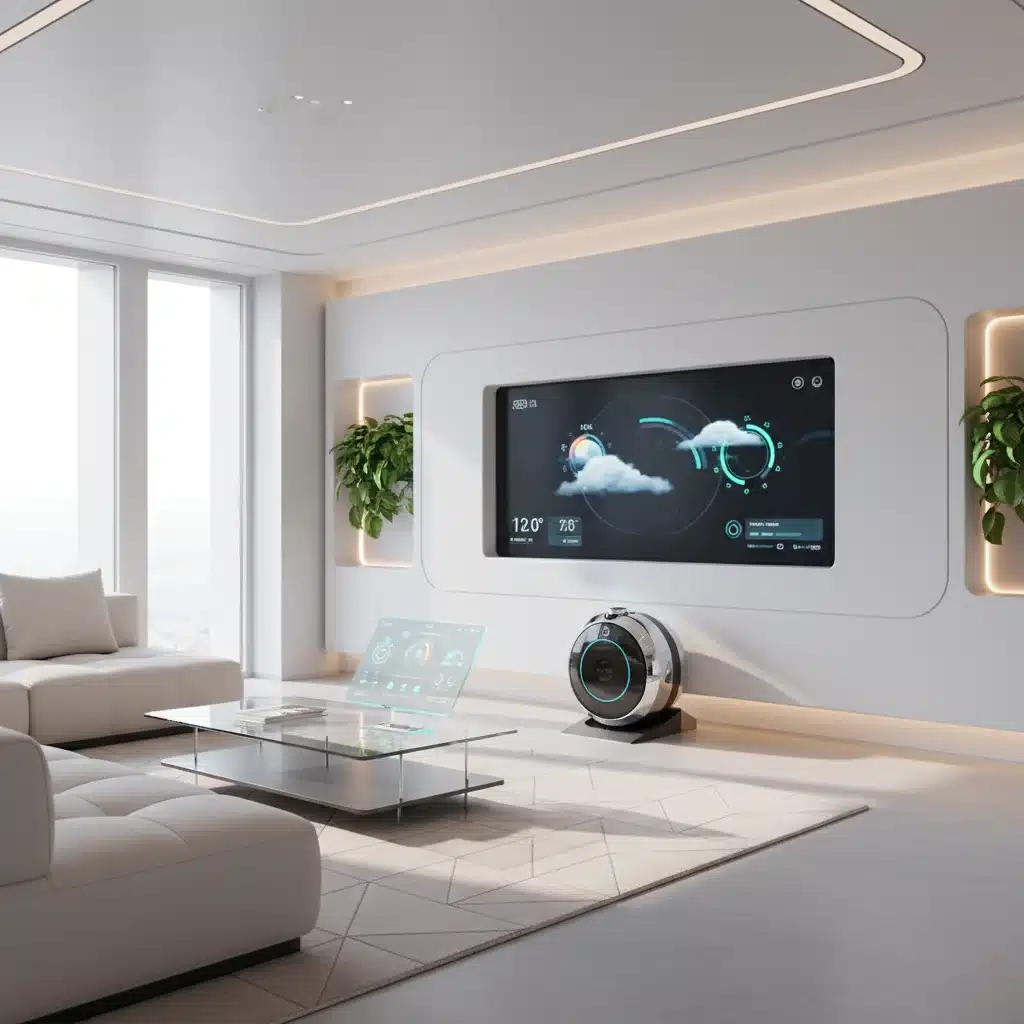
The dream of a truly intelligent home, where every device communicates seamlessly, anticipating your needs and simplifying your life, is no longer a distant sci-fi fantasy. In 2026, smart home technology has evolved to a point where comprehensive smart device integration is not just possible, but increasingly essential for a comfortable, efficient, and secure living environment. However, navigating the myriad of devices, platforms, and protocols can be daunting. This comprehensive guide will walk you through a 3-step process to achieve seamless smart home integration, transforming your house into a harmonious, connected ecosystem.
Understanding the Core of Smart Home Integration
Before diving into the practical steps, it’s crucial to understand what smart home integration truly entails. It’s more than just having a collection of smart gadgets; it’s about making them work together in a cohesive and intelligent manner. Think of your home as an orchestra, and each smart device as an instrument. Without a conductor (your smart home hub or platform) and a well-rehearsed score (your automations), the instruments might play beautiful individual tunes, but they won’t create a symphony. Seamless smart home integration means these devices ‘talk’ to each other, sharing data and responding to triggers, ultimately enhancing your daily life.
The benefits of effective smart home integration are vast:
- Enhanced Convenience: Automate routine tasks like lighting, climate control, and entertainment.
- Improved Efficiency: Optimize energy consumption with smart thermostats and lighting schedules.
- Increased Security: Integrate security cameras, smart locks, and sensors for comprehensive home monitoring.
- Greater Comfort: Personalize your environment to your preferences, from ambient lighting to temperature.
- Peace of Mind: Monitor your home remotely and receive alerts for unusual activity.
As we move further into 2026, the demand for truly integrated smart home solutions continues to grow. Consumers are looking beyond individual device functionalities and seeking holistic systems that simplify management and maximize utility. This guide is designed to empower you to build such a system, step by step.
Step 1: Laying the Foundation – Choosing Compatible Devices and a Central Hub
The first and arguably most critical step in achieving seamless smart home integration is to carefully select your devices and establish a robust central control system. Without a solid foundation, your integrated home will be prone to connectivity issues and limited functionality.
1.1. Understanding Smart Home Ecosystems and Protocols
The smart home market is fragmented, with various ecosystems (e.g., Apple HomeKit, Google Home, Amazon Alexa, Samsung SmartThings) and communication protocols (e.g., Wi-Fi, Zigbee, Z-Wave, Thread, Bluetooth). It’s vital to understand these to ensure compatibility:
- Wi-Fi: Ubiquitous and easy to set up, but can consume more power and potentially overcrowd your network with too many devices. Best for devices that require high bandwidth, like cameras or smart speakers.
- Zigbee: A low-power, mesh networking protocol ideal for smaller data packets, like smart lights, sensors, and switches. Requires a dedicated Zigbee hub.
- Z-Wave: Similar to Zigbee but operates on a different radio frequency, offering excellent range and reliability. Also requires a Z-Wave hub.
- Bluetooth: Good for direct device-to-device communication over short distances, often found in personal devices or for initial setup.
- Thread: A newer, IP-based mesh networking protocol designed for low-power devices, offering improved reliability and security. It’s a key component of the Matter standard.
- Matter: This is the game-changer for smart home integration in 2026. Matter is an open-source connectivity standard designed to enable smart home devices from different brands and ecosystems to work together seamlessly. Look for Matter-certified devices to future-proof your setup.
1.2. Selecting Your Central Hub or Platform
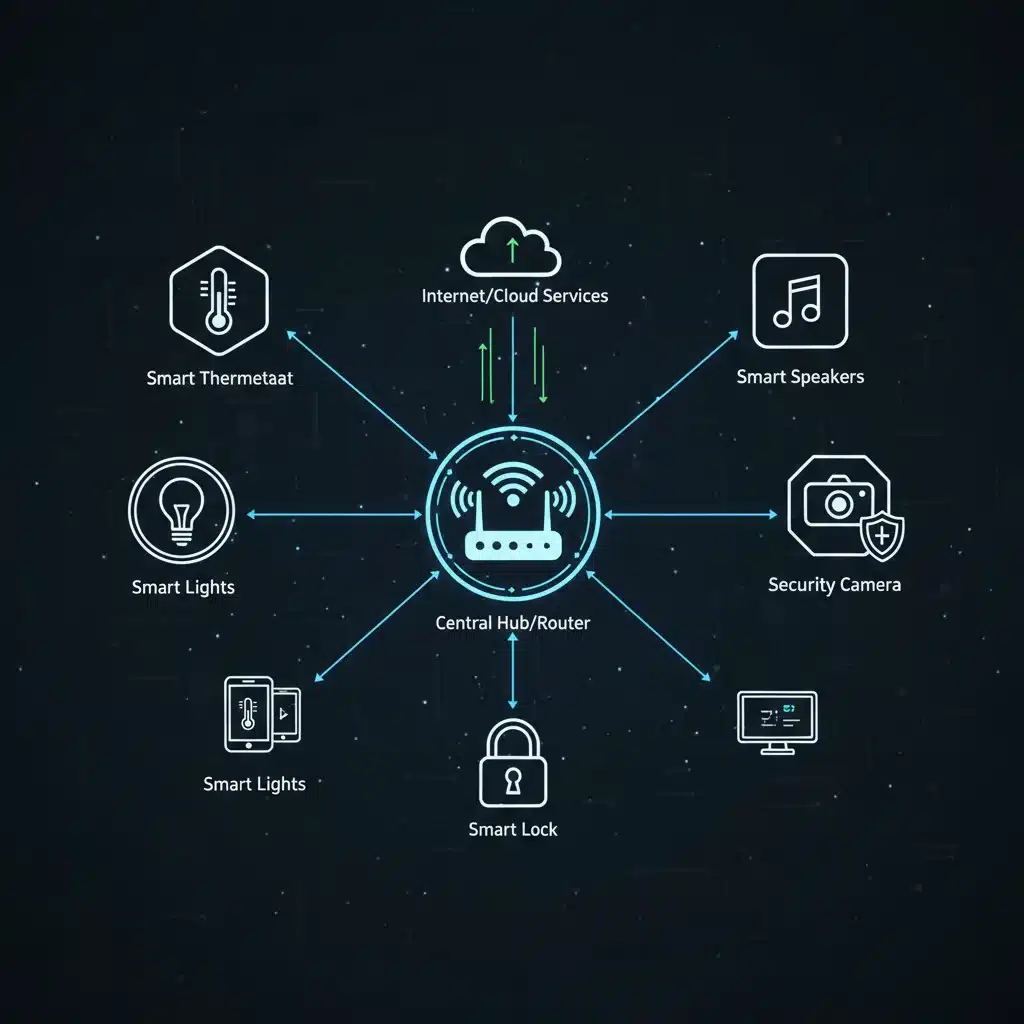
Your central hub is the brain of your smart home. It’s the device or software that allows all your disparate smart devices to communicate and be controlled from a single interface. Popular options include:
- Dedicated Smart Home Hubs: Devices like Samsung SmartThings Hub, Hubitat, or Homey. These often support multiple protocols (Zigbee, Z-Wave) and offer advanced automation capabilities.
- Voice Assistants as Hubs: Amazon Echo (Alexa), Google Nest (Google Assistant), and Apple HomePod (Siri/HomeKit) devices can act as central controllers for compatible devices, offering voice control and basic automations.
- Software-based Solutions: Home Assistant (open-source) or Homebridge (for HomeKit compatibility) offer highly customizable and powerful integration options, often requiring a bit more technical know-how.
Recommendation for 2026: Prioritize a hub or platform that supports Matter. This will significantly simplify future device compatibility and integration, reducing vendor lock-in and enhancing overall flexibility. If you’re starting fresh, a Matter-compatible hub (often built into newer Google Nest or Amazon Echo devices) is an excellent choice.
1.3. Choosing Your First Smart Devices Wisely
When starting your smart home journey, don’t try to automate everything at once. Begin with a few key areas that will provide immediate benefits:
- Smart Lighting: Philips Hue, Govee, or LIFX are popular choices. Look for Matter-compatible bulbs or bridges.
- Smart Thermostat: Nest, Ecobee, or Honeywell Home can significantly impact energy savings and comfort.
- Smart Plugs: Inexpensive and versatile, allowing you to make ‘dumb’ appliances smart.
- Door/Window Sensors: Enhance security and enable automations based on entry/exit.
- Smart Locks: Yale, August, Schlage offer keyless entry and remote access control.
Always check device compatibility with your chosen hub/platform before purchasing. Read reviews, consider the brand’s reputation for reliability and software updates, and prioritize devices that support open standards like Matter.
Step 2: Building the Network – Connectivity and Configuration
Once you’ve selected your devices and hub, the next step is to get everything connected and configured. This involves ensuring a robust network infrastructure and meticulously setting up each device to communicate effectively.
2.1. Optimizing Your Home Network
A stable and fast home network is the backbone of any successful smart home integration. Without it, you’ll experience lag, dropped connections, and unreliable automations.
- Router Quality: Invest in a high-quality Wi-Fi 6 (or even Wi-Fi 7 if available) router that can handle numerous connected devices.
- Mesh Wi-Fi Systems: For larger homes, a mesh Wi-Fi system (e.g., Eero, Google Nest Wifi, TP-Link Deco) is highly recommended to eliminate dead zones and provide consistent coverage.
- Bandwidth Management: If your router supports it, prioritize bandwidth for critical smart home devices or your hub.
- Dedicated Smart Home Network: For advanced users, consider setting up a separate Wi-Fi network (VLAN) specifically for your smart devices to enhance security and reduce network congestion.
- Ethernet Connections: Whenever possible, connect your central hub or any high-bandwidth devices (like a security camera NVR) via Ethernet for maximum stability.
2.2. Pairing and Initial Setup of Devices
This is where you physically connect your smart devices to your network and hub. The process varies depending on the device and protocol:
- Wi-Fi Devices: Typically connect directly to your home Wi-Fi network using the device’s companion app.
- Zigbee/Z-Wave Devices: These ‘pair’ with their respective hub. You’ll usually put the hub into pairing mode, then activate the device to connect.
- Matter Devices: The setup process for Matter devices is designed to be universal and straightforward, often involving scanning a QR code with your Matter-compatible hub/app.
Tips for Setup:
- Follow Instructions Carefully: Each device will have specific pairing instructions.
- Name Devices Logically: Use clear, descriptive names (e.g., ‘Living Room Lamp,’ ‘Front Door Lock’) for easier control and automation.
- Group Devices: Group similar devices (e.g., all lights in the kitchen) for easier control.
- Firmware Updates: Always ensure all your devices and hub are running the latest firmware. This often brings new features, bug fixes, and security enhancements.
2.3. Configuring Your Central Hub/Platform
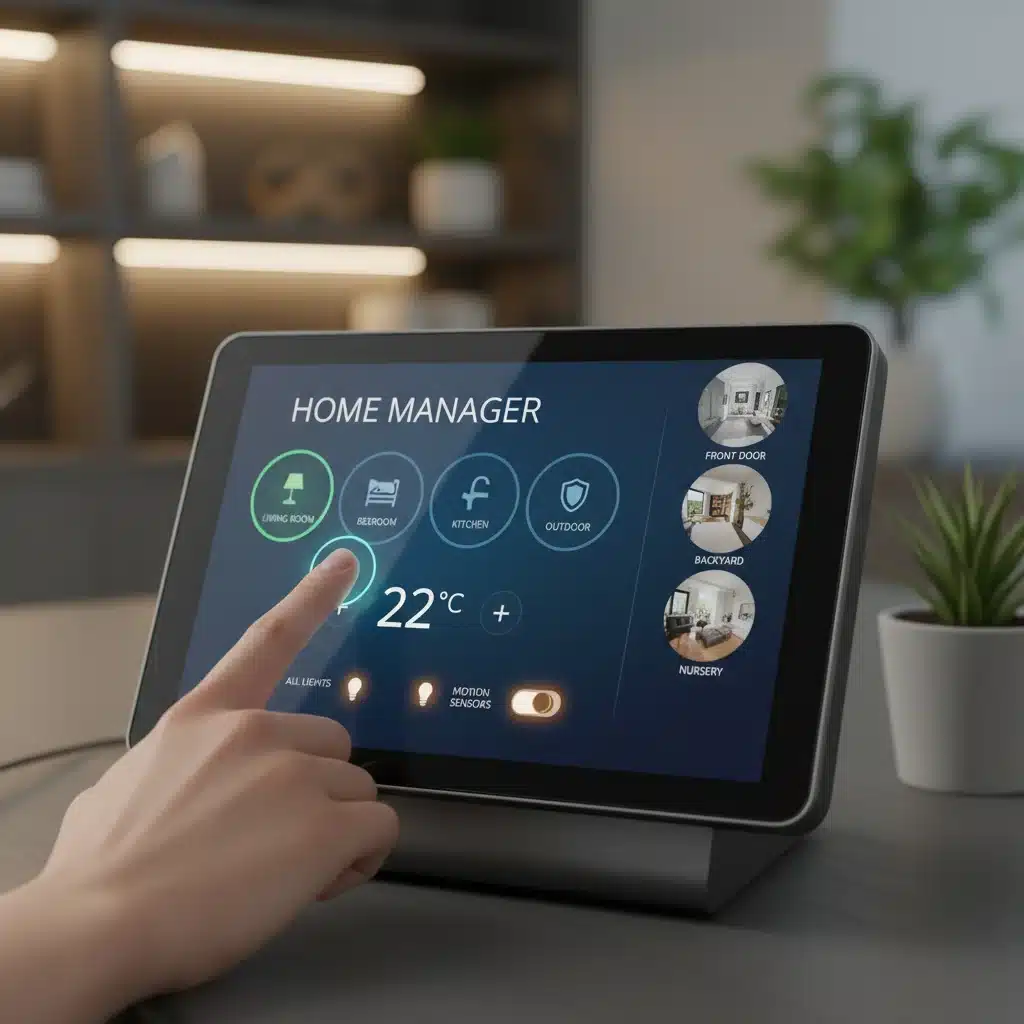
Your central hub’s app or interface is where you’ll manage all your connected devices. Take time to explore its features:
- Device Management: Ensure all paired devices are recognized and functioning correctly.
- Room Assignment: Assign devices to specific rooms for intuitive control (e.g., ‘Turn on Living Room Lights’).
- User Permissions: If multiple family members will be using the system, set up appropriate user accounts and permissions.
- Notifications: Configure alerts for critical events, such as a door opening or a motion sensor detecting movement.
A well-configured central hub provides a unified dashboard, giving you a single point of control over your entire smart home ecosystem. This step is crucial for transforming a collection of devices into an integrated system. By 2026, many hubs offer AI-driven suggestions for automations, making this configuration even more intuitive.
Step 3: Automating Your Home – Creating Routines and Scenes for a Seamless Experience
This is where the magic of smart home integration truly comes alive. Automation allows your devices to work together intelligently, responding to triggers and creating a truly proactive home environment. In 2026, advanced automation capabilities are easier to set up than ever before, thanks to improved user interfaces and AI assistance.
3.1. Understanding Automations, Routines, and Scenes
- Automations/Routines: These are ‘if this, then that’ (IFTTT) statements. They define a trigger (e.g., ‘motion detected,’ ‘time of day,’ ‘door opens’) and an action (e.g., ‘turn on lights,’ ‘adjust thermostat,’ ‘play music’).
- Scenes: A scene is a predefined state for multiple devices. For example, a ‘Good Morning’ scene might turn on bedroom lights to a soft glow, raise the thermostat slightly, and start your coffee maker.
3.2. Designing Your First Automations
Start with simple, impactful automations that solve a common problem or enhance a daily routine:
- Morning Routine: At 7:00 AM on weekdays, gradually brighten bedroom lights, start playing news on a smart speaker, and adjust the thermostat.
- Evening Welcome: When you unlock the front door after sunset, turn on hallway and living room lights to a welcoming brightness.
- Security Away: When everyone leaves the house (detected by geofencing or smart lock status), arm the security system, turn off all non-essential lights, and adjust the thermostat to an energy-saving mode.
- Bedtime Routine: At 10:00 PM, dim all lights, lock all doors, activate privacy mode on cameras, and set the thermostat to sleep mode.
- Energy Saving: If a window is open for more than 5 minutes, pause the HVAC system.
Many smart home platforms offer pre-built automation templates, which are great starting points. You can then customize them to your specific needs.
3.3. Advanced Automation Techniques and Considerations
As you become more comfortable, you can explore more sophisticated automations:
- Conditional Logic: ‘If motion is detected AND it’s dark, THEN turn on lights.’ This adds a layer of intelligence.
- Delays and Timers: ‘Turn on light for 5 minutes, then turn off.’ Useful for closets or temporary lighting.
- Presence Detection: Use geofencing (your phone’s location), motion sensors, or even smart plugs (to detect if a TV is on) to determine if someone is home.
- Voice Control Integration: Link your automations to voice commands for hands-free control. ‘Alexa, goodnight’ can trigger your entire bedtime scene.
- Virtual Switches: Create virtual switches within your hub that can be triggered by automations or voice, then used as triggers for other automations. This adds flexibility without needing physical switches.
- Backup Plans: What happens if the internet goes down? Ensure critical devices (like smart locks) have manual override options. Some hubs offer local control that works even without an internet connection.
3.4. Regular Review and Optimization
Your smart home is a living system. Your needs and preferences will evolve, and so should your automations. Regularly review your routines:
- Test Thoroughly: Always test new automations to ensure they work as expected.
- Simplify: If an automation is too complex, break it down into smaller, manageable parts.
- Eliminate Redundancy: Remove automations that are no longer useful or conflict with others.
- Stay Updated: Keep an eye on new features from your hub and device manufacturers. Software updates often introduce new integration possibilities.
By actively managing and refining your automations, you ensure your smart home remains truly seamless and tailored to your lifestyle in 2026 and beyond.
Security and Privacy in Your Integrated Smart Home
As you integrate more devices into your home ecosystem, security and privacy become paramount. A seamlessly connected home is also a potentially vulnerable one if not properly secured.
Data Protection and Privacy Concerns
Smart devices collect a wealth of data about your habits, movements, and preferences. It’s crucial to understand:
- Vendor Policies: Read the privacy policies of your smart device manufacturers and hub providers. Understand what data they collect, how it’s used, and if it’s shared with third parties.
- Data Encryption: Ensure your devices and hub use strong encryption for data transmission, both locally and to cloud services.
- Local vs. Cloud Control: Some hubs offer local processing, meaning automations run even without an internet connection, enhancing privacy and reliability. Prioritize these for sensitive data.
- Consent: Be mindful of permissions you grant to smart home apps and voice assistants. Only enable necessary access.
Fortifying Your Smart Home Security
Beyond privacy, physical and digital security are critical:
- Strong Passwords: Use unique, complex passwords for your Wi-Fi network, smart home accounts, and individual device logins. Enable two-factor authentication (2FA) wherever possible.
- Network Security: Secure your Wi-Fi network with WPA3 encryption. Consider creating a separate guest network for visitors to keep your smart devices isolated.
- Regular Updates: Keep all smart devices, hubs, and router firmware updated. Manufacturers frequently release patches for security vulnerabilities.
- Physical Security: Ensure your smart hub is placed in a secure location. If using smart locks, choose reputable brands with strong encryption and physical tamper resistance.
- Smart Camera Placement: Position security cameras strategically to cover entry points, but be mindful of privacy for family members and neighbors. Regularly review camera footage access.
- Disable Unused Features: If a device has features you don’t use (e.g., a microphone on a device where you only need motion detection), consider disabling them to reduce potential attack vectors.
By proactively addressing security and privacy, you can enjoy the benefits of smart home integration with confidence, knowing your data and your home are protected in 2026.
The Future of Smart Device Integration: What to Expect Beyond 2026
The pace of innovation in smart home technology is relentless. As we look beyond 2026, several trends are shaping the future of smart device integration:
- AI and Machine Learning: Expect more sophisticated predictive capabilities. Your home won’t just react to your commands; it will anticipate your needs based on learned patterns, optimizing energy, comfort, and security proactively.
- Increased Interoperability (Matter’s Evolution): Matter will continue to mature, becoming the de facto standard for smart home devices, leading to even more seamless integration across brands and ecosystems. This will significantly reduce compatibility headaches.
- Contextual Awareness: Homes will become more aware of their occupants’ emotional states, activities, and even health, adjusting environments accordingly. Wearable tech will play a larger role in providing this contextual data.
- Edge Computing: More processing will happen directly on devices (at the ‘edge’ of the network) rather than relying solely on cloud servers. This means faster response times, greater reliability (even offline), and enhanced privacy.
- Sustainability and Energy Management: Smart homes will become even more adept at minimizing their environmental footprint, integrating with renewable energy sources and optimizing consumption at a granular level.
- Robotics Integration: Beyond robot vacuums, expect more sophisticated domestic robots to integrate into the smart home ecosystem, assisting with tasks from cooking to cleaning and even companionship.
The trajectory is clear: smart home integration will become more intelligent, more intuitive, and more deeply embedded into the fabric of our daily lives. By understanding the current landscape and embracing best practices for smart home integration today, you’re not just building a smart home for 2026; you’re preparing for the truly intelligent homes of tomorrow.
Conclusion: Your Seamless Smart Home Awaits
Achieving seamless smart device integration is a journey, not a destination. It requires thoughtful planning, careful execution, and ongoing optimization. By following this 3-step guide — laying the foundation with compatible devices and a central hub, building a robust network and configuring your devices, and finally, automating your home with intelligent routines and scenes — you can transform your living space into a truly intelligent, responsive, and secure environment.
Embrace the power of smart home technology in 2026. Whether you’re starting from scratch or looking to enhance an existing setup, remember that patience and a methodical approach will yield the most rewarding results. Your integrated smart home will not only offer unparalleled convenience and comfort but will also adapt and evolve with your lifestyle, making your everyday life simpler, safer, and more enjoyable. The future of living is connected, and with these steps, you are well on your way to experiencing it fully.