Ergonomics for Remote Workers: 6 Key Adjustments for Health and Productivity in 2026
Anúncios
Ergonomics for Remote Workers: 6 Key Adjustments for Health and Productivity in 2026
The landscape of work has irrevocably shifted, with remote work becoming not just a temporary solution but a fundamental aspect of modern professional life. As we navigate towards 2026, the initial novelty has worn off, and the long-term implications of working from home are becoming increasingly clear. One area that has gained paramount importance is remote work ergonomics. It’s no longer a ‘nice-to-have’ but a ‘must-have’ for sustained health, well-being, and, crucially, productivity.
Anúncios
Ignoring ergonomic principles in a home office setup can lead to a litany of issues: chronic back pain, neck strain, carpal tunnel syndrome, eye fatigue, and even mental health challenges stemming from physical discomfort. The good news is that with some intentional adjustments and an understanding of key principles, you can transform your remote workspace into a bastion of health and efficiency. This comprehensive guide will delve into six critical ergonomic adjustments that every remote worker should consider implementing by 2026 to safeguard their health and supercharge their productivity.
The shift to remote work has been a game-changer for millions, offering unparalleled flexibility and autonomy. However, this freedom comes with the responsibility of creating and maintaining a workspace that supports your physical and mental well-being. Unlike traditional offices that often come equipped with ergonomically designed furniture and professional assessments, home offices are largely self-managed. This means the onus is on the individual to understand and implement best practices for remote work ergonomics. As we look to 2026, the trends indicate a continued emphasis on employee well-being, with companies increasingly recognizing that a healthy remote workforce is a productive one. Therefore, investing in proper ergonomic setups is not just a personal benefit but also a strategic advantage for both employees and organizations.
Anúncios
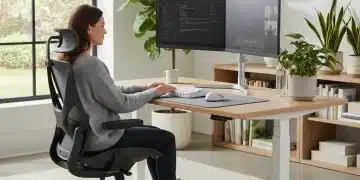
1. The Foundation: An Ergonomic Chair Designed for Remote Work Longevity
Your chair is arguably the most critical piece of your ergonomic puzzle. For remote workers, who often spend 8+ hours a day seated, a standard dining chair or a cheap office chair simply won’t cut it in the long run. By 2026, the understanding of sustained sitting’s impact on health has evolved, making an ergonomic chair an indispensable investment for optimal remote work ergonomics.
Key Features to Look for:
- Adjustable Lumbar Support: This is crucial for maintaining the natural curve of your spine. Look for chairs with adjustable lumbar support in terms of height and depth to fit your unique back shape.
- Seat Depth and Height Adjustment: Your feet should be flat on the floor or on a footrest, with your knees forming a 90-degree angle. The seat depth should allow for a 2-3 finger gap between the edge of the seat and the back of your knees.
- Armrests: Adjustable armrests are vital. They should support your forearms, keeping your shoulders relaxed and elbows at a 90-degree angle, reducing strain on your neck and shoulders.
- Swivel and Tilt Mechanism: A good chair allows for easy movement and changes in posture throughout the day, preventing static positions that can lead to discomfort.
- Breathable Material: Especially important for long hours, breathable fabrics prevent heat build-up and enhance comfort.
Investing in a high-quality ergonomic chair is an investment in your long-term health and productivity. It prevents discomfort, reduces the risk of musculoskeletal disorders, and allows you to focus on your work without the constant distraction of aches and pains. Remember, a chair that feels comfortable for 10 minutes might not be comfortable for 8 hours. Test chairs thoroughly if possible, and read reviews focusing on long-term comfort and durability.
2. The Dynamic Desk: Embracing Sit-Stand Solutions for Enhanced Well-being
Prolonged sitting has been dubbed the ‘new smoking’ due to its detrimental health effects. As we move into 2026, the adoption of sit-stand desks has become a cornerstone of effective remote work ergonomics. These desks allow you to seamlessly switch between sitting and standing positions throughout your workday, promoting movement and reducing the risks associated with sedentary behavior.
Benefits of a Sit-Stand Desk:
- Reduced Back Pain: Alternating between sitting and standing can significantly alleviate lower back pain.
- Improved Energy Levels: Standing can boost circulation and energy, combating the afternoon slump.
- Increased Calorie Burn: While not a substitute for exercise, standing burns more calories than sitting.
- Enhanced Productivity and Focus: Many users report improved concentration and alertness when using a sit-stand desk.
- Better Posture: Regularly changing positions encourages better posture habits.
When choosing a sit-stand desk, consider electric models for ease of adjustment. Ensure the desk is sturdy and can support all your equipment. The goal is not to stand all day, but to integrate standing periods naturally into your routine. A good rhythm might be 20-30 minutes sitting, followed by 10-15 minutes standing, and repeating this cycle. This dynamic approach to your workstation is a powerful component of comprehensive remote work ergonomics.
3. Monitor Positioning: The Eye-Level Advantage for Neck and Eye Health
The placement of your monitor is critical for preventing neck strain, shoulder pain, and eye fatigue. Many remote workers make the mistake of working directly from a laptop screen, which often forces them into a hunched posture. By 2026, an external monitor (or two) and proper positioning are non-negotiable for optimal remote work ergonomics.
Optimal Monitor Setup:
- Eye Level: The top of your monitor screen should be at or slightly below eye level. This prevents you from craning your neck up or down.
- Arm’s Length Distance: Position the monitor approximately an arm’s length away from your face. This allows your eyes to focus comfortably without undue strain.
- Centered: If you use a single monitor, it should be directly in front of you. If you use two, place them close together, with the primary monitor centered, or both slightly angled towards you if they are of equal importance.
- Glare Reduction: Position your monitor to avoid glare from windows or overhead lighting. Use anti-glare screens if necessary.
- Laptop Users: If you primarily use a laptop, invest in a laptop stand to raise the screen to eye level and an external keyboard and mouse.
Correct monitor positioning not only prevents physical discomfort but also enhances focus by reducing visual strain. In the context of remote work ergonomics, this simple adjustment can make a profound difference in your daily comfort and long-term health.
4. Keyboard and Mouse: Precision Tools for Hand and Wrist Well-being
Your keyboard and mouse are extensions of your hands, and their ergonomic design and placement are vital for preventing repetitive strain injuries (RSIs) like carpal tunnel syndrome. As screen time continues to increase for remote professionals, optimizing these peripherals is a key aspect of remote work ergonomics in 2026.
Ergonomic Keyboard and Mouse Best Practices:
- Neutral Wrist Position: Your wrists should remain straight and neutral, not bent up, down, or to the side, when typing or using the mouse.
- Keyboard Placement: Position your keyboard directly in front of you, close enough so your elbows are at a 90-degree angle and your shoulders are relaxed. Avoid reaching.
- Ergonomic Keyboard: Consider a split or curved ergonomic keyboard that allows your hands to rest in a more natural position. Some prefer compact keyboards to reduce reaching for the mouse.
- Mouse Choice: Explore different ergonomic mouse options: a vertical mouse to maintain a handshake grip, a trackball mouse to reduce wrist movement, or a central pointing device.
- Mouse Placement: Keep your mouse as close to your keyboard as possible to minimize reaching. If you use a numerical keypad often, consider a compact keyboard without one to bring the mouse closer.
- Wrist Rests: While often misunderstood, wrist rests are for resting during breaks, not for typing. Your wrists should hover above the keyboard while actively typing.
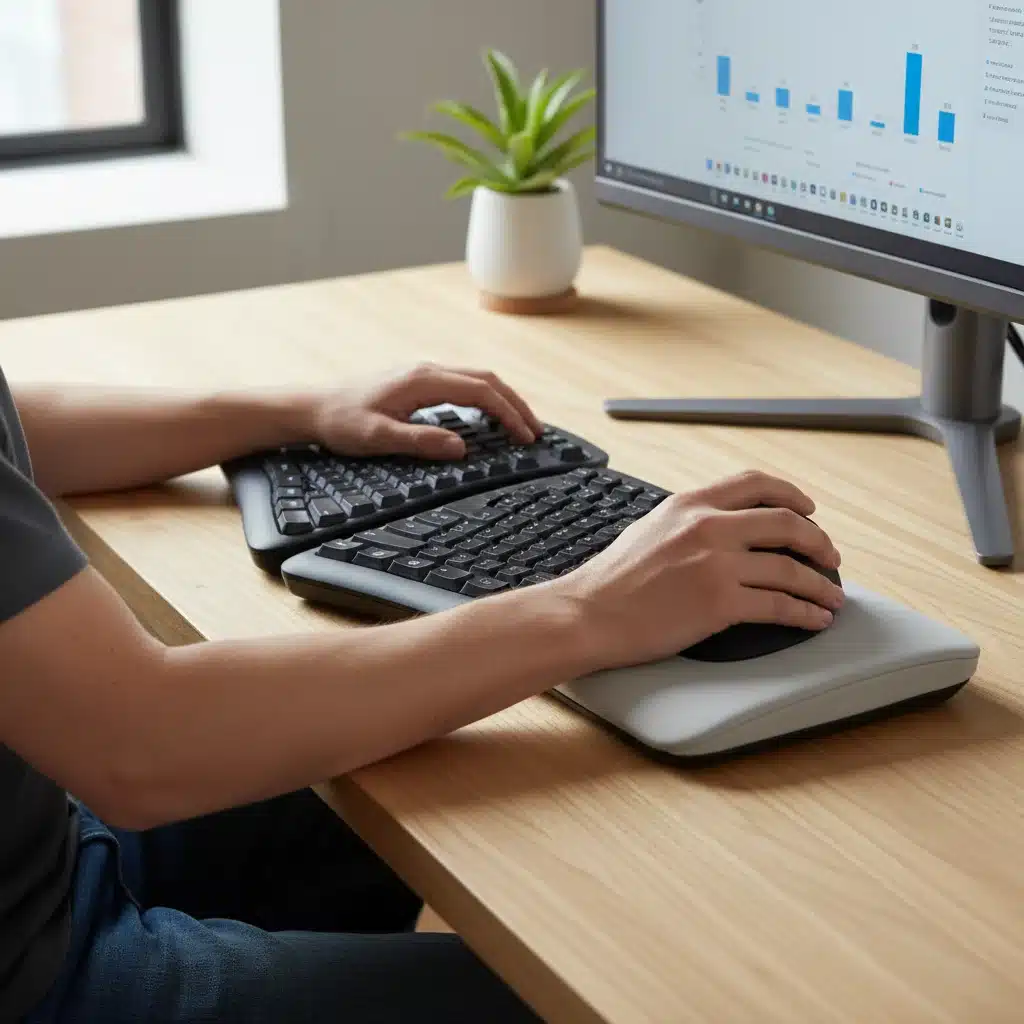
Paying attention to these details can prevent debilitating hand and wrist pain, ensuring that your hands remain healthy and functional for years of productive remote work ergonomics. Remember, small adjustments can lead to significant long-term benefits.
5. Lighting and Environment: Crafting an Optimal Sensory Space
Beyond the physical setup of your desk and chair, your overall environment plays a crucial role in your comfort, focus, and eye health. In 2026, a holistic approach to remote work ergonomics extends to optimizing your lighting and surrounding workspace.
Environmental Ergonomic Considerations:
- Natural Light: Position your desk near a window to leverage natural light, which can boost mood and reduce eye strain. Avoid direct glare on your screen.
- Task Lighting: Supplement natural light with adjustable task lighting. A desk lamp that provides even, glare-free illumination on your workspace can reduce eye fatigue, especially during darker hours or for detailed tasks.
- Ambient Lighting: Ensure your room has adequate ambient lighting to avoid stark contrasts between your screen and the surrounding environment, which can strain your eyes.
- Temperature and Air Quality: Maintain a comfortable room temperature and ensure good ventilation. Stuffy or overly warm environments can lead to fatigue and reduced concentration.
- Noise Control: Minimize distractions. Use noise-canceling headphones if necessary, or create a designated quiet zone for focused work.
- Declutter Your Space: A tidy workspace contributes to a tidy mind. Reduce visual clutter to enhance focus and reduce stress.
Creating an optimal sensory environment supports not only physical comfort but also mental well-being, which is an integral, though often overlooked, aspect of comprehensive remote work ergonomics. A well-lit, comfortable, and quiet space allows you to immerse yourself in your work without unnecessary distractions or discomfort.
6. Movement and Micro-Breaks: The Dynamic Core of Remote Work Well-being
Even with the most perfectly optimized ergonomic setup, prolonged static postures are detrimental. The final, and arguably most crucial, ergonomic adjustment for remote workers in 2026 is the conscious integration of regular movement and micro-breaks throughout the day. This proactive approach is fundamental to truly effective remote work ergonomics.
Strategies for Incorporating Movement:
- The 20-20-20 Rule: Every 20 minutes, look at something 20 feet away for at least 20 seconds. This helps reduce eye strain.
- Scheduled Breaks: Set alarms to remind yourself to take short breaks every 30-60 minutes. Stand up, stretch, walk around, or grab a drink of water.
- Desk Stretches: Incorporate simple stretches for your neck, shoulders, back, wrists, and hands. There are many guided desk stretch routines available online.
- Walk and Talk: If you have phone calls that don’t require screen sharing, take them while walking around your home or even outdoors.
- Hydration: Keep a water bottle nearby. This not only promotes good health but also encourages frequent trips to refill it, forcing you to move.
- Mindful Movement: Pay attention to your body. If you feel stiffness or discomfort, take a moment to stretch or change your position.
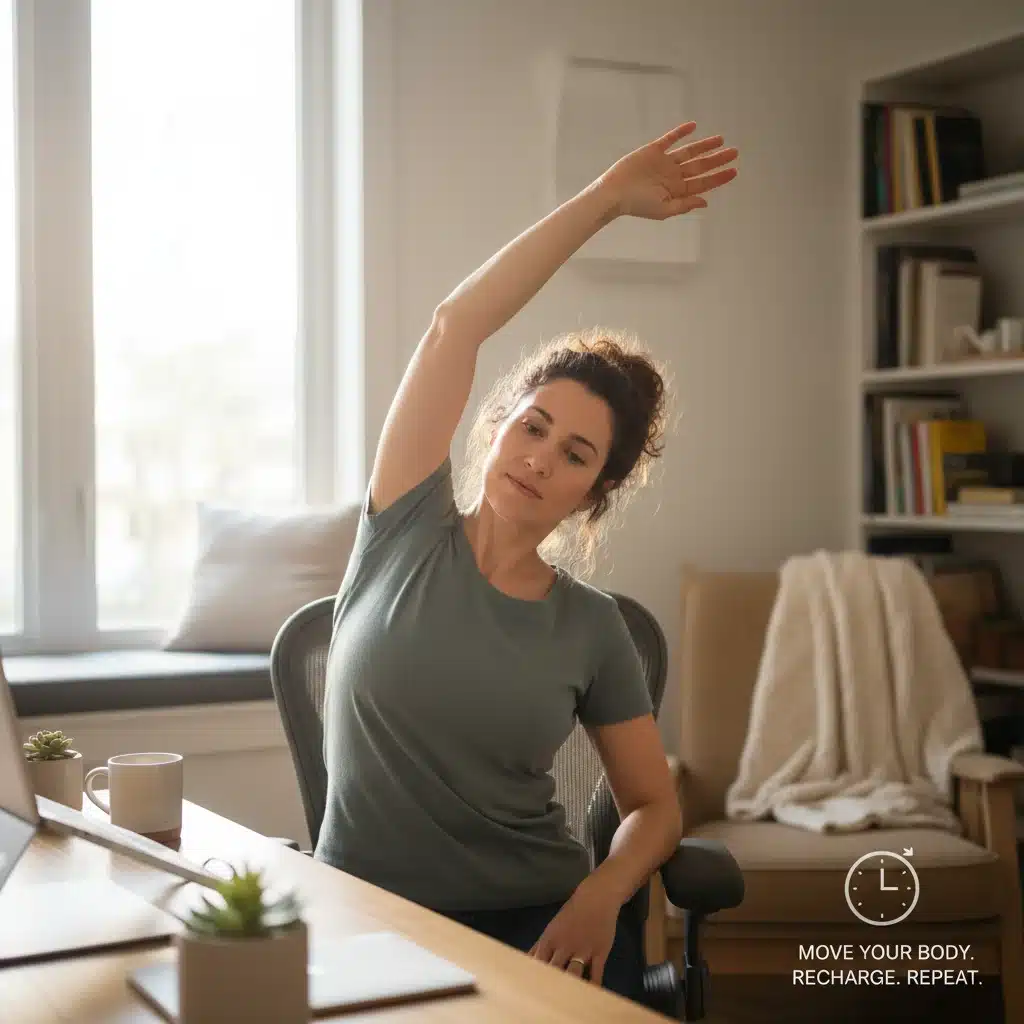
Remember, your body is designed for movement. Breaking up long periods of sitting or standing with short bursts of activity can significantly reduce the risk of musculoskeletal issues, improve circulation, boost energy levels, and enhance mental clarity. This active approach is the cornerstone of sustainable remote work ergonomics.
Beyond the Basics: Advanced Ergonomic Considerations for 2026
As we advance towards 2026, the field of ergonomics continues to evolve, offering even more sophisticated solutions for remote workers. While the six core adjustments covered above form the bedrock of a healthy workspace, here are some advanced considerations:
Voice Control and AI Assistants:
Leveraging voice control for tasks like dictation, opening applications, or navigating interfaces can reduce reliance on traditional input devices, giving your hands and wrists a break. AI assistants are becoming more integrated into operating systems and software, making this a viable ergonomic strategy.
Ergonomic Headsets:
For those who spend significant time on calls, an ergonomic headset can prevent neck strain from holding a phone and ensure clear audio without discomfort. Look for lightweight, adjustable models with good sound quality.
Footrests:
If your feet don’t sit flat on the floor even with your chair adjusted, a footrest can provide crucial support, maintain proper leg circulation, and help you maintain a correct posture. Adjustable footrests are ideal.
Blue Light Filtering:
With increased screen time, blue light filtering glasses or monitor settings can help reduce eye strain and improve sleep quality, contributing to overall well-being in your remote work ergonomics strategy.
Ergonomic Assessments:
Some companies are now offering virtual ergonomic assessments for their remote employees. These personalized evaluations can identify specific issues in your home setup and provide tailored recommendations, taking your remote work ergonomics to the next level.
Mindfulness and Stress Reduction:
While not strictly physical ergonomics, mental well-being is deeply intertwined with physical comfort. Incorporating mindfulness practices, regular breaks for mental rejuvenation, and managing work-life boundaries are critical for a truly holistic ergonomic approach to remote work.
The Future of Remote Work Ergonomics
By 2026, the awareness and implementation of proper remote work ergonomics will be more widespread than ever. Companies will continue to invest in educating their remote teams and providing resources to ensure healthy work environments. Smart furniture, AI-driven posture coaching, and integrated wellness platforms will become more common, making it easier for individuals to maintain optimal ergonomic practices.
However, technology is only a tool. The ultimate responsibility lies with the individual to be proactive about their health and comfort. Understanding these six key adjustments and integrating them into your daily routine is not just about preventing pain; it’s about optimizing your performance, sustaining your career, and ensuring a healthy, productive future in the evolving world of remote work.
Embrace these ergonomic principles, make the necessary adjustments, and transform your home office into a space that supports your health, fuels your productivity, and allows you to thrive in the dynamic remote work landscape of 2026 and beyond. Your body will thank you, and your work will undoubtedly benefit.